Automated Compliance Reporting for Construction Sites
At some point, nearly every site manager has the same bad afternoon. It's after lunch. The slab work is still moving. A truck is waiting, two subs want answers, and then an inspector pulls up and asks for the SWPPP logs, washout inspection records, rain documentation, and corrective action notes from the last stretch of work.
If your system still lives in truck binders, text threads, and a foreman's notebook with wet corners, compliance turns into a scavenger hunt. Somebody starts calling people. Somebody else scrolls for photos. Half the time, the records exist. They're just scattered, incomplete, or impossible to prove in sequence.
That's where automated compliance reporting stops sounding like corporate software jargon and starts looking like relief. On a construction site, it means this: the records are captured as the work happens, organized automatically, and ready when someone asks. For concrete washout and SWPPP reporting, that's the difference between calm control and a paperwork fire drill.
The End of the Compliance Fire Drill
A surprise inspection doesn't usually expose a total lack of effort. It exposes weak recordkeeping.
Most crews are doing at least some of the right things. The washout container is in place. Someone checked perimeter controls. Photos were taken. A note was scribbled when slurry got close to the edge of a pan and cleanup followed. The problem is that none of that helps much if the proof is split across loose sheets, camera rolls, and memory.
What the old system looks like on a real site
On paper, manual compliance sounds manageable. In the field, it breaks down fast.
A superintendent keeps inspection sheets in the trailer. The concrete foreman has pour photos on his phone. Rain events get logged when someone remembers. Washout service confirmations land in an email inbox nobody checks during site walks. When the inspector asks for a clear record, the team has to reconstruct the story after the fact.
That's risky for environmental compliance because washout and stormwater issues are often judged by the condition of the site and the quality of the documentation together. If your controls were fine but your records are thin, you still have a problem.
Practical rule: If a record can't be found in under a minute, your system isn't inspection-ready.
What changes when reporting is automated
A workable automated compliance reporting setup doesn't need to be fancy. It needs to be consistent. Photos should land in the right project folder automatically. Forms should add timestamps without relying on handwriting. Corrective action notes should tie back to the issue they fixed. Service records should attach to the same job record instead of living in a separate inbox.
That shift is happening well beyond construction. One market estimate projects the global Data Compliance Monitoring Market will reach USD 2,667.2 million by 2035, with software and solutions holding 74.6%, cloud deployments at 83.2%, and large enterprises at 87.4% of adoption, according to Market.us coverage of the data compliance monitoring market. For contractors, the useful takeaway isn't the market size by itself. It's that compliance reporting is moving into normal operating software instead of being treated like occasional admin work.
On a site, that means no more waiting until Friday to assemble the week's evidence. The record builds itself as inspections, deliveries, pan servicing, photos, and corrections happen.
The practical benefit nobody talks about enough
The biggest win isn't speed. It's composure.
When records are already organized, the tone of an inspection changes. Instead of explaining why a form is missing or why a photo date is unclear, the site team can show a clean timeline. That gives the inspector less reason to doubt the process and gives the project team fewer chances to contradict itself.
A calm compliance process usually starts long before the inspector shows up. It starts when the site stops treating documentation like paperwork and starts treating it like part of the work.
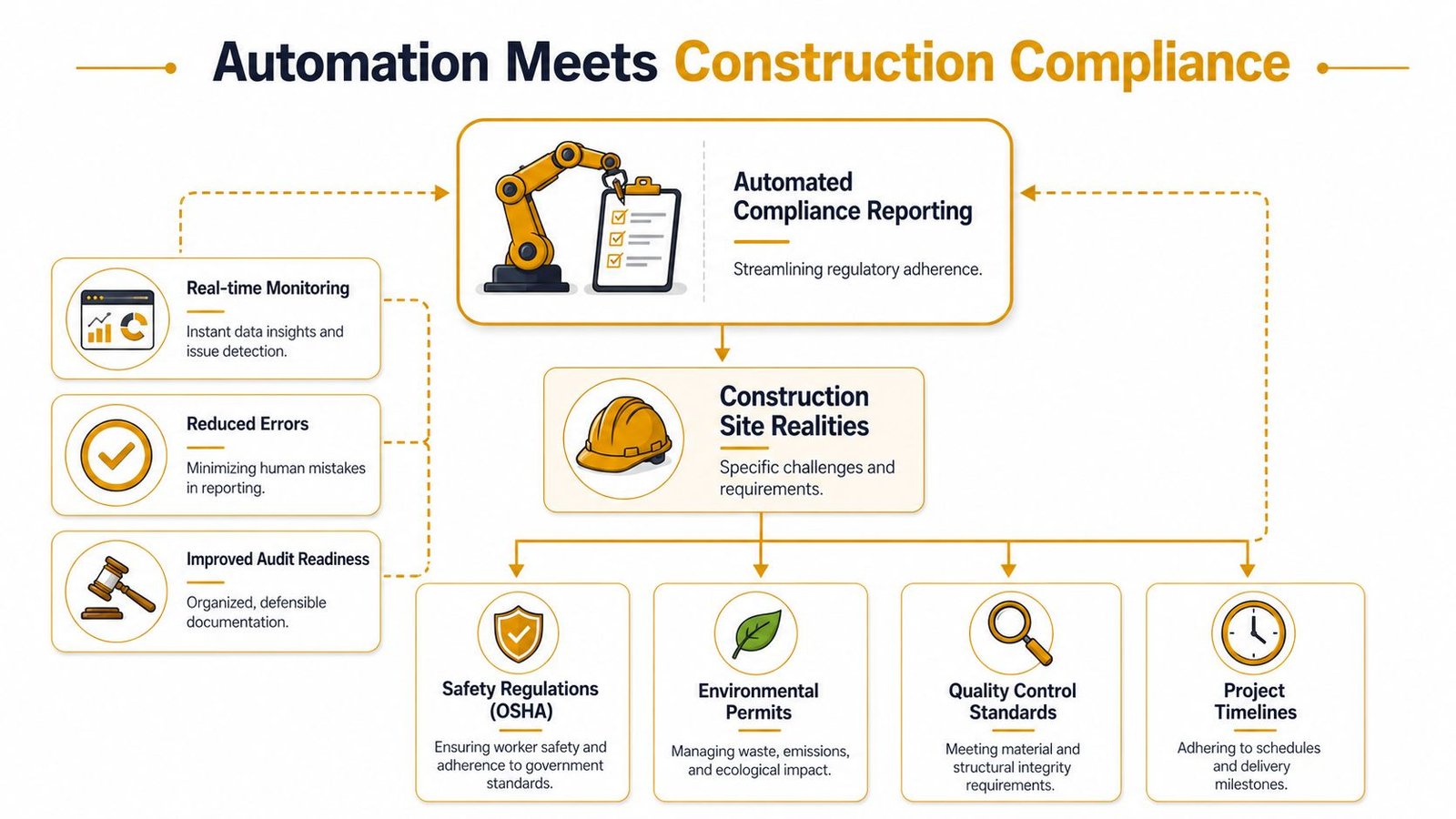
Connecting Automation to Construction Site Realities
Construction compliance isn't abstract. It's mud on boots, slurry in a pan, a torn inlet protection bag after a storm, and a superintendent trying to document all of it before dark.
That's why automated compliance reporting works best when it's tied to actual site conditions, not generic office workflows. For environmental compliance, the obvious targets are SWPPP inspections, washout containment checks, rainfall records, corrective actions, and site photos. Those are the records teams already chase. Automation just captures them in a way that's usable later.
Where manual construction records usually fail
Construction crews don't struggle because they don't care. They struggle because the workday is fragmented.
A foreman might text photos after a pour. A project engineer might update a spreadsheet in the evening. A rain log may sit in the trailer. Washout servicing may be documented by email from a vendor. Each record exists, but the site has no single chain of evidence.
The old method usually has these weak points:
- Scattered photo evidence that isn't tied to a date, location, or inspection item.
- Notebook entries that are readable to the person who wrote them and nobody else.
- Late corrective action logs written after the memory of the issue has already faded.
- Service records in email that never make it into the project compliance file.
- Version confusion when multiple people save “final” forms in different folders.
Why this matters specifically for washout and SWPPP work
Concrete washout is one of those site tasks that can look simple until it isn't. If a pan is overfilled, poorly located, damaged, or not serviced in time, the environmental issue develops quickly. SWPPP reporting has the same pressure. Inlet protection, stabilized entrances, stockpile controls, and perimeter measures can all change after weather or active work.
Automation fits this environment because compliance has already moved from periodic review to continuous monitoring. Fortinet's explanation of compliance automation describes the shift from manual, point-in-time checks to an always-on process with centralized tracking, alerts, and audit trails. That matches construction better than people think. Sites change daily, so records should keep up daily too.
Good automated reporting doesn't ask the field to become an office. It captures field evidence without slowing the work.
What construction teams should automate first
Start with the records that are repetitive, visual, and easy to standardize.
- Daily or scheduled inspection photos with automatic timestamps.
- Washout condition checks that confirm containment, capacity, and housekeeping.
- Corrective action follow-up so the closeout photo is tied to the original problem.
- Rainfall and weather-triggered inspections prompted by a simple workflow.
- Delivery and service confirmations that feed the project log without retyping.
Contractors typically find the value in these scenarios. The foreman no longer has to remember which folder to use. The project manager no longer has to assemble a report from five different channels. The site can keep building while the compliance record takes shape in the background.
A Practical Playbook for Your Reporting System
The cleanest automated compliance reporting systems in construction are boring on purpose. They follow a predictable path. Define the output first, connect the inputs second, clean the data third, test the workflow, then keep monitoring it. That phased workflow aligns with Didit's guidance on automated compliance reporting, which also notes that the biggest bottleneck is usually data quality, not the reporting tool itself.
If you start with software before you define the records you need, you'll build a faster mess.
Start with the outputs
A lot of teams begin by shopping for apps. That's backwards. Start with the forms and proof you need to produce.
For a construction environmental workflow, the outputs often include:
- SWPPP inspection reports with date, inspector, findings, photos, and corrective actions.
- Concrete washout logs showing location, condition, service status, and housekeeping.
- Daily site compliance summaries for internal review.
- Issue logs that show open items, assigned owner, and closure evidence.
- Inspection-ready project folders with photos, notes, and linked documents.
Write down the exact fields each report needs. If a required output needs weather details, photo links, and sign-off, build those fields into the workflow from day one. Don't assume someone will “add it later.”
Build the inputs around field habits
Field adoption rises when the input method matches the job, not when it matches an office preference. On most sites, that means phones, tablets, QR codes, and a few simple forms.
Good inputs are usually plain:
Photo capture from a phone
Crews can snap the washout pan, nearby protection measures, or a corrected deficiency and upload it through a short form.Checkbox inspections
Instead of freehand notes for everything, use fixed items such as “contained,” “needs service,” “cover intact,” or “sediment tracked beyond limit.”Email intake for third-party records
If a hauling, rental, or service partner sends confirmation by email, route that message into the project record automatically.Supervisor review forms
A superintendent or project engineer should be able to review exceptions, add notes, and approve the final daily or weekly report.
Field-tested advice: Keep the first version of every form short enough to finish while standing up in the sun.
Process the data before you trust it
This is the part contractors skip, and it's where bad systems fall apart. If names, dates, project codes, and locations aren't standardized, your automation won't save you. It will just produce cleaner-looking errors.
Use simple rules:
- One project naming standard across forms, folders, and email routing.
- Required fields for date, project, location, and inspection type.
- Dropdowns where possible so crews don't type five versions of the same washout location.
- Exception handling for missing photos, duplicate records, or incomplete corrective actions.
- Review triggers when an item is marked noncompliant.
A site doesn't need a giant software stack to do this. Many teams can build a solid first version using digital forms, cloud folders, approval workflows, and template-driven reports. What matters is that the pieces connect cleanly.
Turn the workflow into usable reports
Once the data is structured, report generation gets easier. The system can pull in the inspection date, inspector name, photos, notes, and open items into a standard template. That's where automated compliance reporting starts saving real time.
Here's a simple example of the kind of checklist that works well in the field:
| Check Item | Status (Compliant/Needs Action) | Photo Evidence (Link) | Notes / Corrective Action | Timestamp |
|---|---|---|---|---|
| Washout container properly placed | ||||
| Washout capacity adequate for current work | ||||
| No visible overflow or leakage | ||||
| Nearby storm drains protected | ||||
| Housekeeping around washout area acceptable |
Test on one project before wider rollout
Don't launch across every active site at once. Pick one project with recurring concrete activity and a superintendent who'll actually use the system. Run the workflow, find the gaps, and tighten the form fields before expanding.
Common things to test early include:
- Whether photos upload reliably in weak signal areas
- Whether the wrong people are getting approval requests
- Whether crews understand the status choices
- Whether the report output matches what inspectors typically ask to see
The best system is the one the field can complete without a phone call to the office. If that isn't true yet, keep simplifying.
Simple Workflows for Site Crews and Logistics
Most construction software dies the same way. The office likes it. The field avoids it.
That's why site workflows for automated compliance reporting have to be almost frictionless. If logging a washout check feels like extra work, crews will wait until later. Later becomes tomorrow, and tomorrow becomes a half-remembered note.

A day-in-the-field workflow that actually gets used
A practical washout workflow can be very simple.
A crew member finishes part of a pour and walks over to the washout area before leaving the work zone. They scan a QR code posted near the containment setup or open a saved mobile form. The form asks for only a few things: project, washout location, condition status, one or two photos, and a notes field if something needs attention.
When they hit submit, the system logs the timestamp, stores the photo, and drops the entry into that project's compliance folder. If the worker marks “needs service” or “overflow risk,” the superintendent gets a notification and the item lands on the corrective action list.
That's a better workflow than asking someone to remember the details at the end of a ten-hour day.
The logistics side matters just as much
Environmental records on concrete work don't begin and end with the crew. Logistics creates part of the compliance chain.
If a washout pan is delivered, relocated, serviced, or picked up, that event should flow into the same project record. The cleanest setups route confirmation emails or digital service tickets into a job-specific folder and tag them to the correct project automatically. That way, if someone asks when the containment unit was last serviced, the team doesn't have to search across inboxes.
A useful field workflow usually includes:
- Crew capture at point of work for condition photos and quick checks
- Supervisor review for anything marked noncompliant
- Automatic issue routing for service needs or cleanup tasks
- Document intake from vendors for delivery and servicing records
- End-of-day summary so the office sees open items before they become repeated deficiencies
The best field form is the one a finisher, laborer, or pump operator can complete without training manuals.
Keep the burden off the crew
Crews don't need a compliance lecture every time they pour. They need a short routine that makes sense.
Don't ask them to write narrative reports unless there's an unusual issue. Don't force them through multiple screens. Don't create duplicate entry between the daily report and the compliance log. If the same photo can satisfy both, the system should handle that behind the scenes.
What works is direct and visible. Scan. Snap the photo. Pick the status. Submit. If there's a problem, somebody responsible gets it fast. If there isn't, the record is done and nobody has to think about it again.
That's when automation starts helping the field instead of interrupting it.
Validating Reports and Preparing for Audits
Fast reporting is useless if you can't defend it.
Inspectors, owners, and regulators don't just want a polished PDF. They want confidence that the record reflects what happened on site, when it happened, and who reviewed it. That's the essential test of automated compliance reporting in construction. Can you show a believable chain from field condition to final report?
What makes an automated record defensible
A defensible record has a few basic traits. It is time-sequenced, hard to tamper with casually, complete enough to understand, and reviewed by a person with responsibility.
For a site compliance workflow, that usually means:
- Original photos stay attached to the entry
- Timestamps are automatic, not handwritten later
- Edits are visible through version history or update logs
- Corrective actions show closure, not just identification
- A supervisor signs off before the report is treated as final
Many teams misunderstand automation. They think the software replaces accountability. It doesn't. It organizes evidence so accountability is easier to prove.
Why human review still belongs in the workflow
Automation can collect, route, and assemble records. It can't carry business responsibility for you.
Regly's discussion of compliance automation governance makes that point clearly. Automation still requires human review, clear documentation, and the ability to defend the system's logic during audits. In practice, governance often gets heavier at the start because teams need to define control rules, exception handling, and approval paths before the efficiency shows up.
That matters on a construction project because field conditions are messy. A washout area may be technically contained but still need relocation because access changed. A photo may show the issue, but not the context. Someone with site authority still needs to review edge cases and sign the report.
Audit mindset: Treat every automated entry as evidence that may need to stand on its own months later.
How to answer the inspector's hard question
Sooner or later, someone asks, “How do I know this is real?”
The right answer isn't a speech about software. It's a record trail. Show the original photo, its timestamp, the associated inspection entry, the note that identified the problem, the follow-up action, and the approval record. If the report changed, show what changed and who changed it.
A strong pre-audit review should check for:
- Missing evidence such as entries without photos where photos are required
- Open corrective actions that appear in older inspections with no closure
- Date conflicts between service records and field observations
- Approval gaps where a report was generated but never formally reviewed
When the timeline is clear, the conversation usually gets easier. Paper files rarely give you that level of chronology without a lot of reconstruction.
Avoiding Pitfalls and Taking the First Step
Most failed automation efforts don't fail because the idea was wrong. They fail because the rollout ignored construction reality.
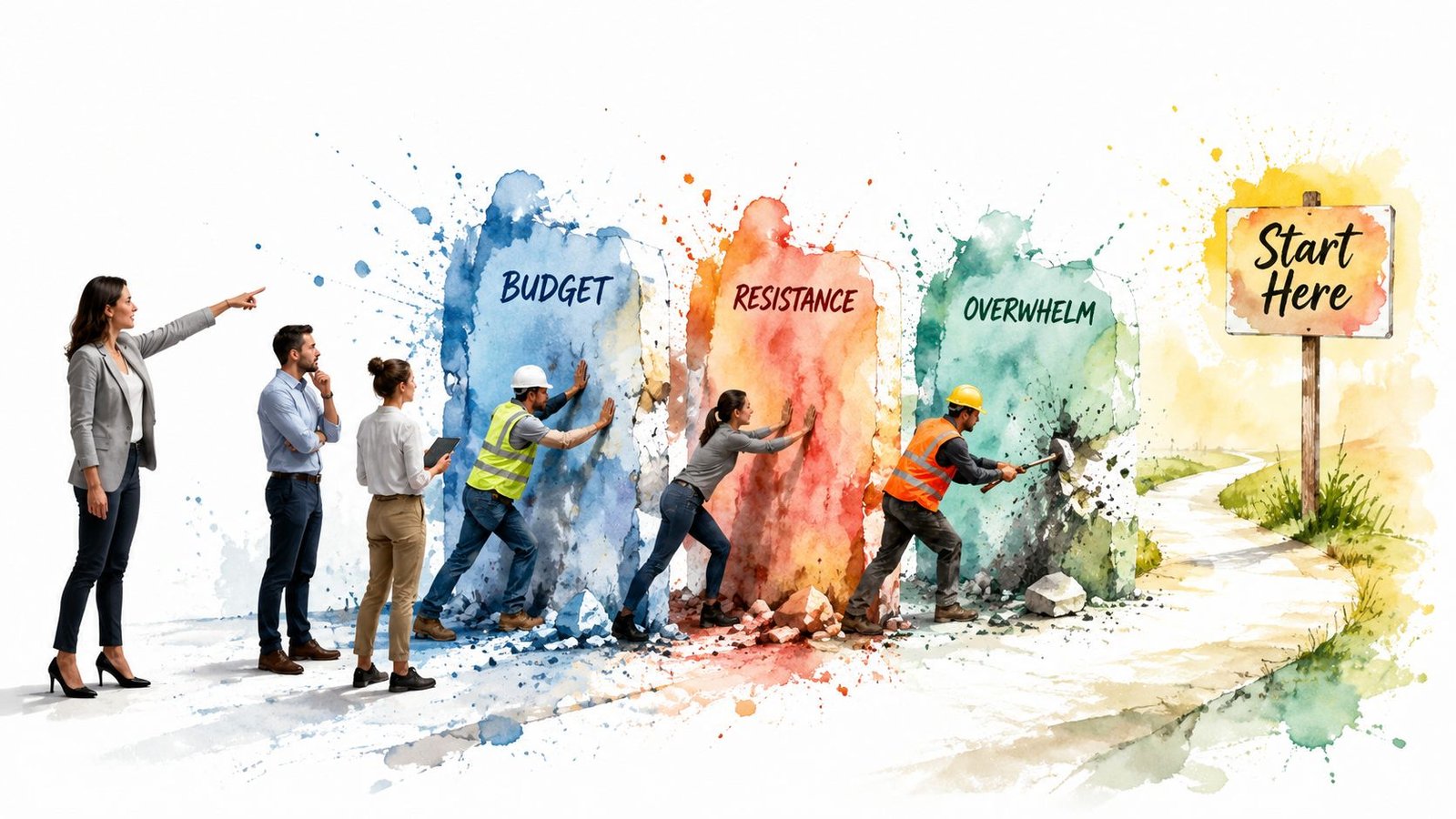
The usual problems are familiar. Budget gets tight. Crews resist another app. The first version asks for too much. Data comes in sloppy, and the team blames the software when the process itself is the underlying issue.
The common traps
Diligent's analysis of automated compliance monitoring identifies familiar failure modes such as budget constraints, resistance to change, integration barriers with legacy systems, and poor data foundation. The same source says most organizations achieve positive ROI within 18 to 24 months when programs are rolled out well. On construction projects, that timeline matters less than the pattern behind it. Teams get value when they phase the work, keep ownership cross-functional, and verify that the system is reducing errors instead of just moving them faster.
Three mistakes show up again and again on jobsites:
Trying to automate everything at once
If you start with every environmental, safety, and quality record on day one, people get lost.Building forms for the office instead of the field
A beautiful desktop workflow is worthless if the crew won't complete it near the work.Ignoring data discipline
If project names, locations, and status labels are inconsistent, your final reports will be inconsistent too.
A low-risk way to begin
The smartest first move is a pilot. Pick one active project and one recurring compliance record. Daily environmental photos work well. Washout condition checks work well too. Keep the form short. Keep the routing simple. Make one superintendent responsible for review.
Then do three things:
Map one record from start to finish
Who captures it, where it lands, who reviews it, and what output it creates.Set a small rule set
Required photo, required location, required status, and an approval step for exceptions.Run it long enough to expose friction
You'll quickly see whether the problem is adoption, connectivity, form design, or unclear ownership.
Start with one workflow that everyone hates doing manually. That's where buy-in comes from.
What the upgraded inspection day looks like
The difference at inspection time is simple. The inspector asks for records. The superintendent opens a tablet, filters by project and date range, and pulls up the log. Photos, timestamps, service entries, and corrective actions are already in order. There's no pile of binders. No frantic calls. No guessing which version is final.
That's what good automated compliance reporting really delivers on a construction site. Not hype. Not buzzwords. Just a cleaner way to prove the work was done, the controls were checked, and the site was managed with discipline.
If your team wants a cleaner concrete washout process to support site documentation and environmental compliance, Reborn Rentals provides specialized washout containment rentals with straightforward scheduling, delivery coordination, and practical support for active construction projects. It's a simple way to reduce one of the messiest parts of the compliance picture before the paperwork even starts.